‘cat smth.txt’ vs ‘cat < smth.txt’
Okay, I’m going to explain all of this with examples. So, before we start, let’s define a few things to make sure we are on the same page. Our ‘environment variables’ so to speak…
The examples will show me using the ‘cat’ command on a file named ‘smth.txt’ which exists in my user’s home directory!
- My user’s home directory → ‘/home/kai’
- Path of ‘smth.txt’ → ‘/home/kai/smth.txt’
- My working directory is my home directory
- i.e. the ‘cat’ command will be ran from ‘/home/kai/’
Alright, bellow are the contents of smth.txt:
Jiayous everyone!
keep swimmin
yarr
‘cat smth.txt’
kai@kai:~$ cat smth.txtAite, ya’ll should b familiar w this! Lets see how it looks like using prof’s diagram of a process:
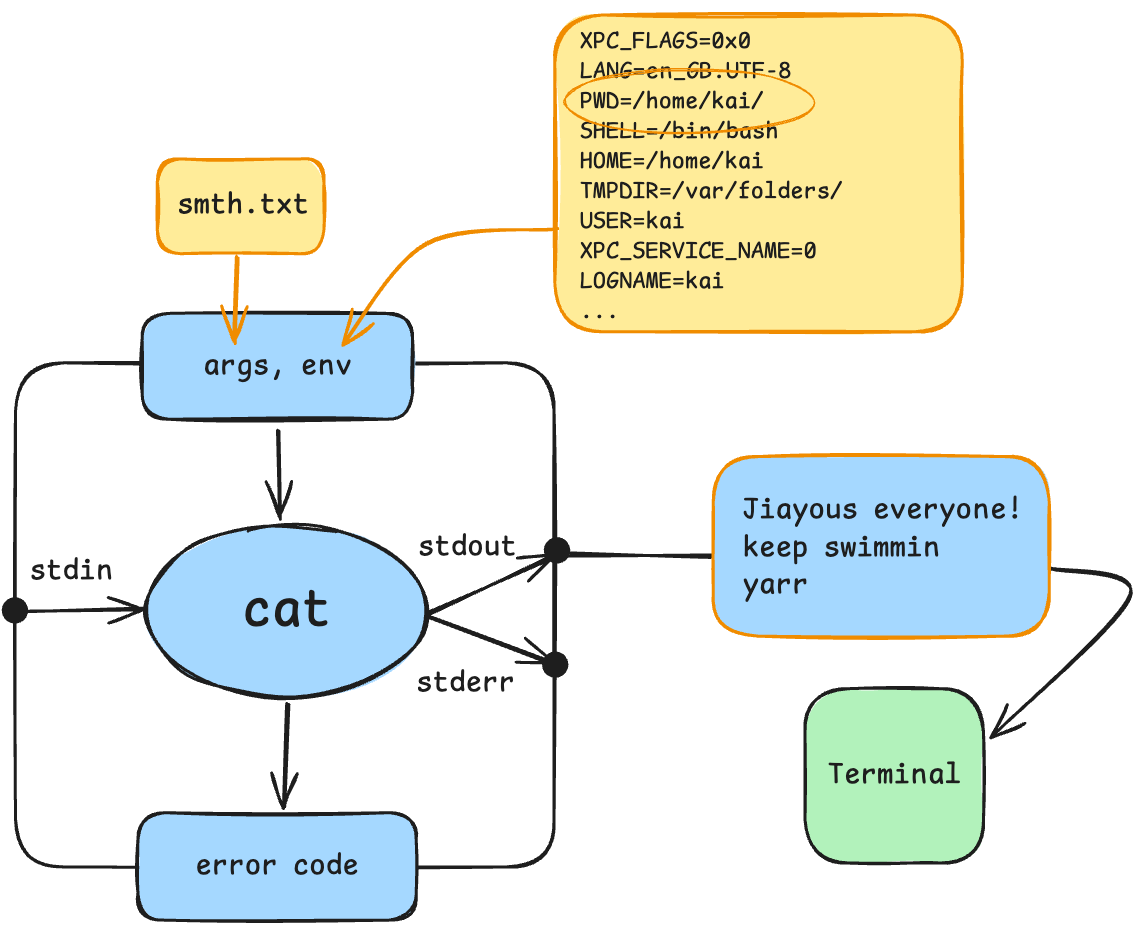 So, when you run cat in this way, you’re passing the characters “smth.txt” as an argument into cat. The cat process, then has to ‘manually’ open smth.txt, read its contents, then pass it to stdout!
‘cat < smth.txt’
kai@kai:~$ cat < smth.txtHow is this different? In the earlier example, “smth.txt” was an argument. In this case it is not, the process arguments are empty. Instead, the contents of “smth.txt” are passed into stdin. Let’s take a look:
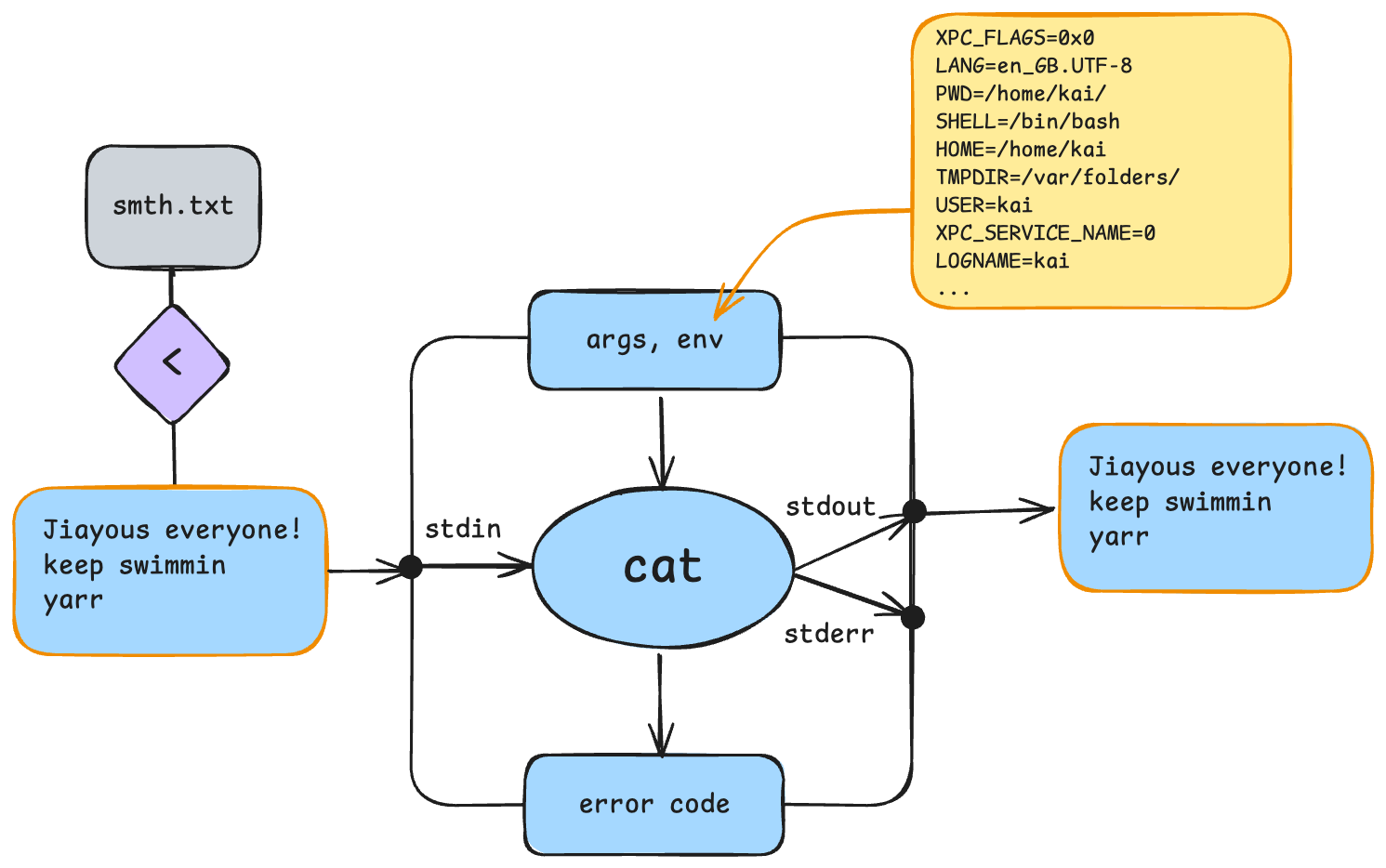 This happens because of ‘<’.
I’m sure you’re all familiar by now with ‘>’. This right arrow is used to redirect output. Its name says it all, it redirects stdout and writes it into a specified file!
‘<’ is much the same. But it’s used to redirect input. So, like the reverse of writing to a file, it reads from the given file, and passes it on to the stdin of the process it’s pointed to!
Review of Task 2 (parts 5 & 6)
 1. kai@kai:~$ mkdir lab3
 2. kai@kai:~$ echo $?
 3. 0
 4. kai@kai:~$ mkdir lab3 > lab3/stdout.txt
 5. mkdir: cannot create directory 'lab3': File exists
 6. kai@kai:~$ echo $?
 7. 1
 8. kai@kai:~$ mkdir lab3 2> lab3/stderr.txt
 9. kai@kai:~$ echo $?
10. 1
(I added line numbers for clarity)
Question 1: Why do both the commands in line 5 & 8 both return an error code of 1?
Okay, to answer this, let’s take a look at what’s going on when we simply run the command mkdir lab3 when there’s already a directory ‘lab3’.
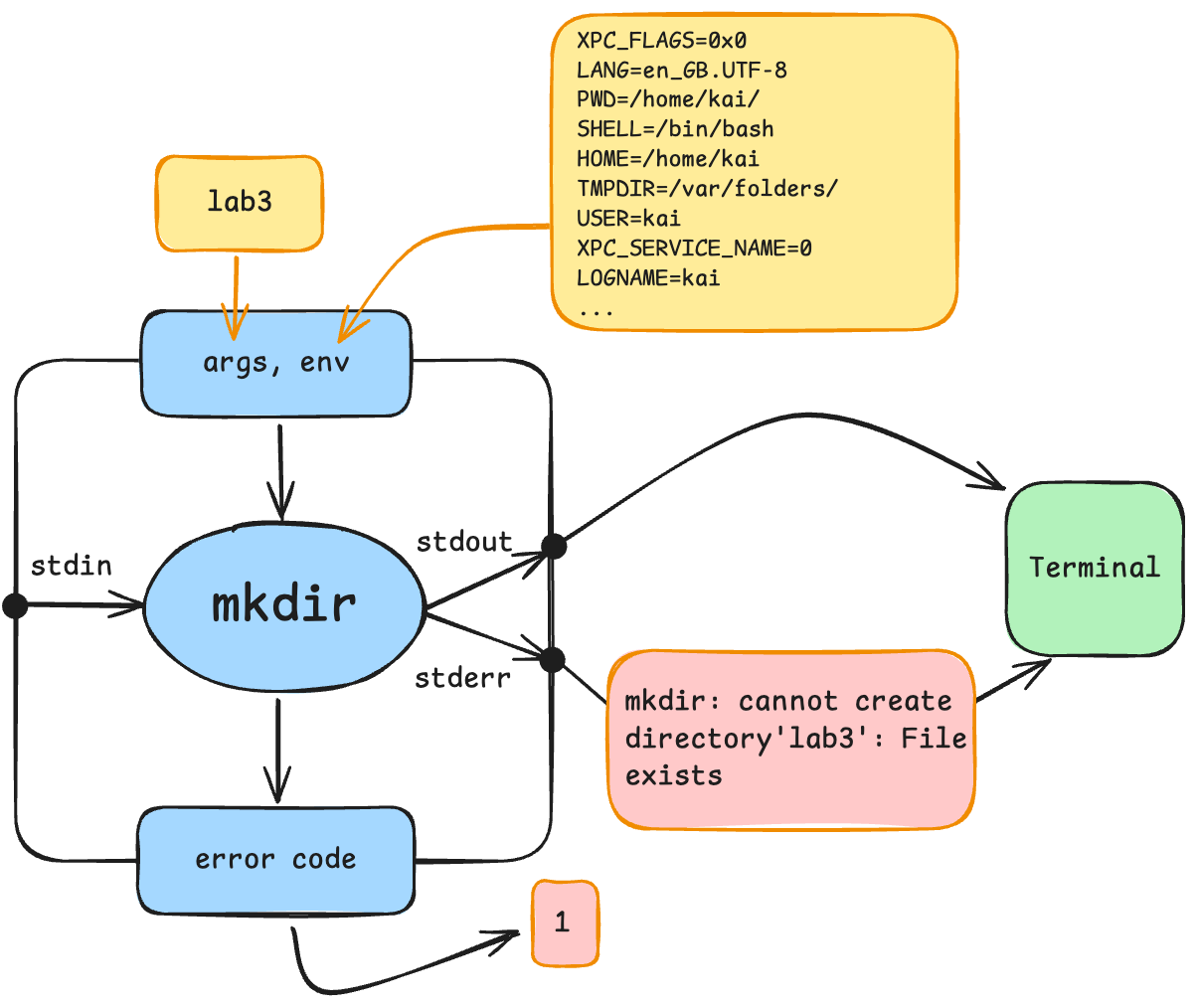 In both lines 5 & 8, we run a command which executes the mkdir programme. This then starts an mkdir process, which encounters an error (lab3 already exists) and terminates with the error code/exit status of 1.
Question 2: Why does the command in line 5 print an error message while the command in line 8 doesn’t?
Here’s a look at what’s going on in line 8:
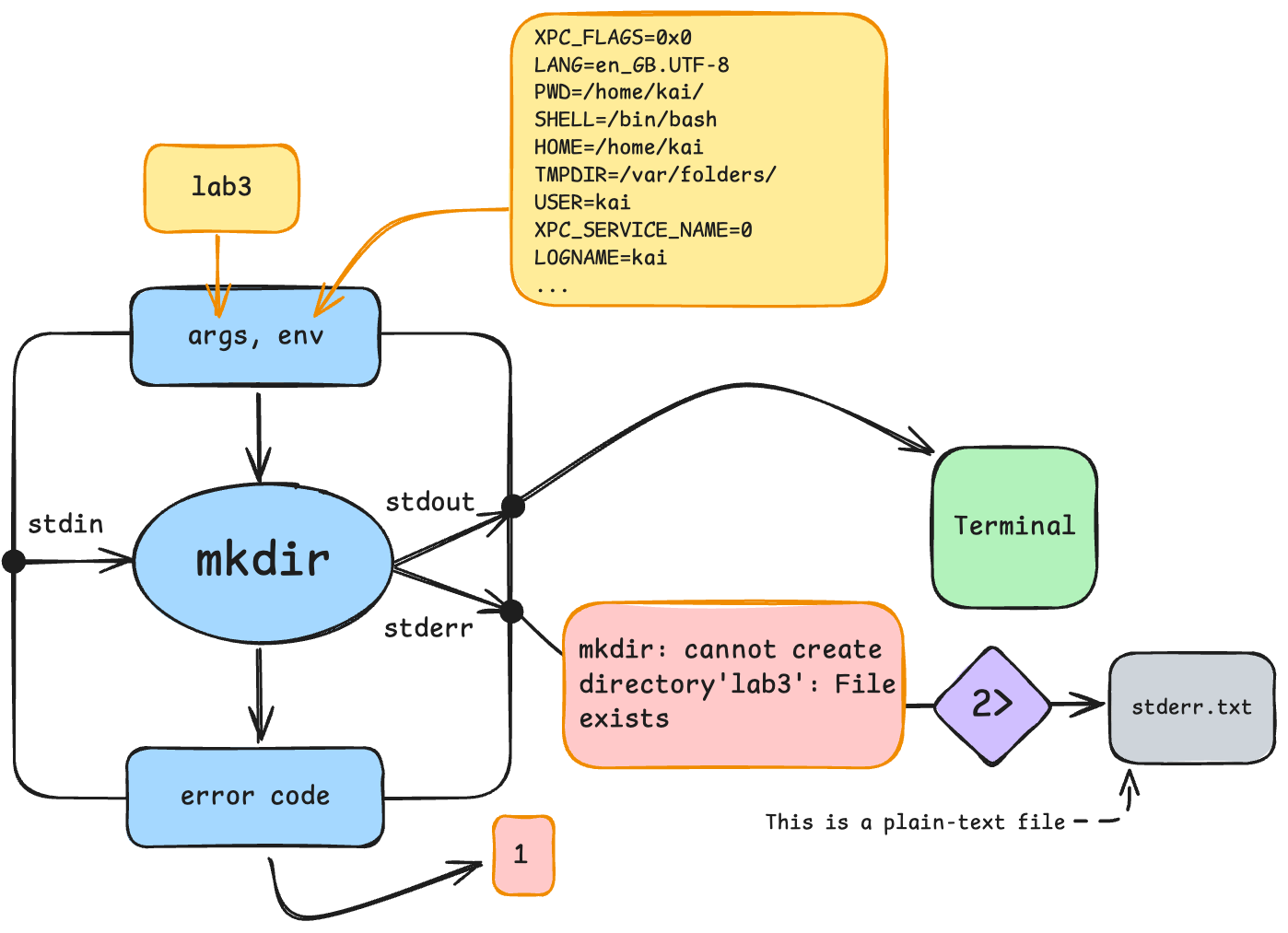 In the case of the command in line 8. That command used ‘2>’ which redirects stderr (and only stderr) into a text file. That’s why the error message isn’t printed into the terminal.
Whereas, the command in line 5 used ‘>’, which only redirects stdout into a text file, and thus, stderr was outputted into the terminal!